Athena
The Project Athens bootloader for routers based on MediaTek MT7981.
Advantages
- Web interface: device information, writing the firmware and the bootloader, settings reset, reboot
- The file is checked before writing, its size and MD5 are shown
- Built-in DHCP server: no static IP address to set
- Stopping the system boot with BreedEnter
- Resetting the firmware settings without reinstalling the firmware
- Writing a full dump of the device from the web interface
- Creates U-Config for the firmware when the device has none and keeps an existing one as it is
- Firmware recovery over TFTP
Download Download r41§
Install the bootloader for your own model only!
Entering the bootloader§
MethodI§
- Power off the router, hold the Reset button and power the router on.
- Release the button when the system indicator starts blinking: it blinks for 5 seconds.
- Connect the PC to a LAN port of the router and open
192.168.1.1. The PC gets its address by itself.
MethodII§
- Use BreedEnter: Athena answers it while the router boots and opens the web interface.
Web interface§
-
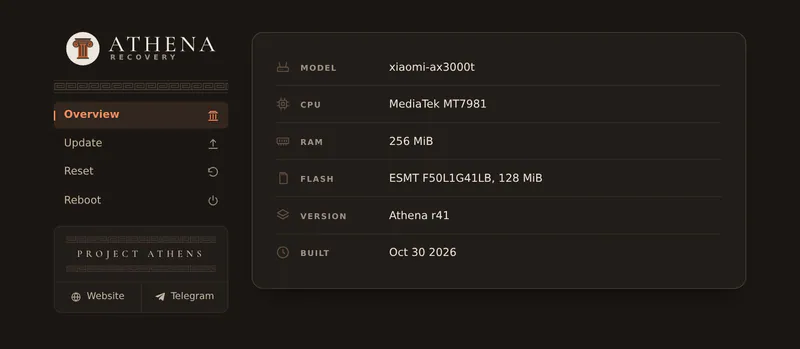
Overview — model, CPU, RAM, flash memory, Athena version and build date.
-
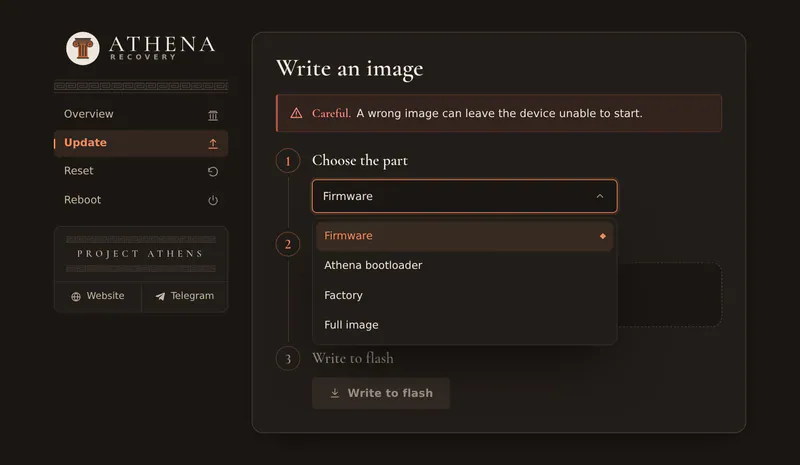
Update — writes a file to the chosen part:
- Firmware — the firmware update file;
- Athena bootloader — the file from the table above;
- Factory — EEPROM;
- Full image — a full dump of this very device, overwrites the whole flash memory.
After writing, the router stays in the bootloader or reboots, as you choose.
-
Reset — erases the firmware settings together with its internal storage: the firmware starts as on a new device. The firmware, the bootloader, U-Config and EEPROM stay.
-
Reboot.
Recovery over TFTP§
If the firmware does not start, Athena can download it from a TFTP server on the PC. The file name depends on the model:
| Model | File name |
|---|---|
| CMCC RAX3000M/Me | cmcc-rax3000m-me_recovery.bin |
| CMCC XR30 | cmcc-xr30_recovery.bin |
| Cudy RE3000 | cudy-re3000_recovery.bin |
| Cudy WBR3000UAX | cudy-wbr3000uax_recovery.bin |
| Cudy WR3000P | cudy-wr3000p_recovery.bin |
| Netis NX31 | netis-nx-series_recovery.bin |
| Netis NX32U | netis-nxu-series_recovery.bin |
| Xiaomi AX3000T | xiaomi-ax3000t_recovery.bin |
- Set the static address
192.168.1.2(mask255.255.255.0) on the network card of the PC. - Start a TFTP server and put the firmware update file into its folder under the name from the table above, for example
xiaomi-ax3000t_recovery.bin. - Connect the PC to a LAN port, power off the router, hold the WPS (Mesh) button and power the router on. Release the button when the system indicator starts blinking.
- Athena downloads the file, writes it and reboots the router.
Cudy TR3000 has no WPS button, so this recovery is not available on it: use the web interface.
Updating the bootloader§
Caution
Do not update the bootloader if everything works. With a wrong or damaged file the router will not start until it is repaired over a serial console or with a flash programmer.
- Enter the bootloader and open Update.
- Choose Athena bootloader and the bootloader file of your model, tick «I have checked the file and accept the risk», choose Reboot the device and click Write and reboot.