Vertell Street M2
Specifications§
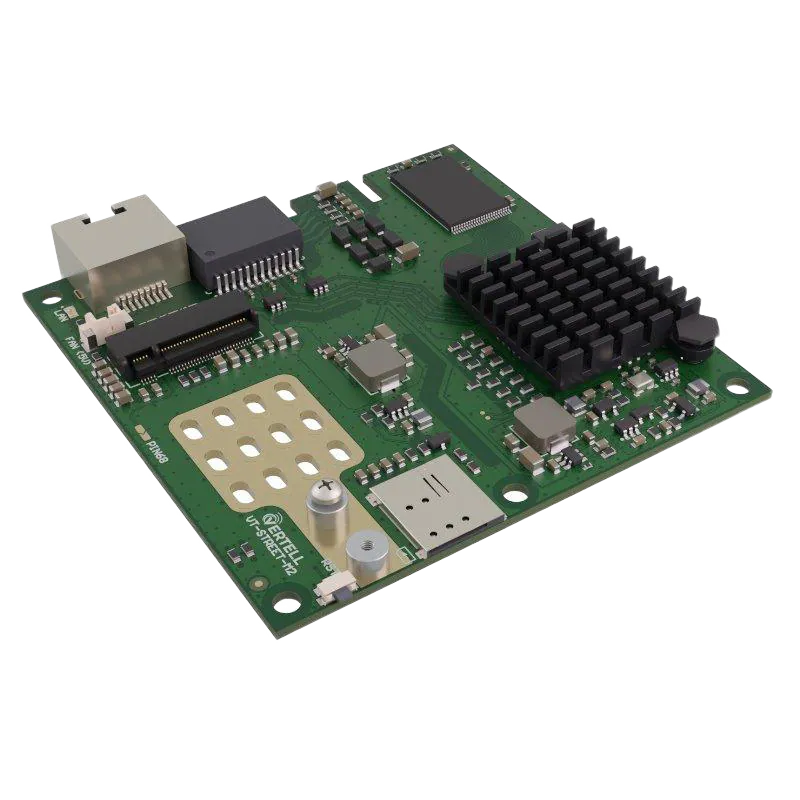
- Processor
- MediaTek MT7621AT, MIPS, 880 MHz
- Flash memory
- 128 MB NAND
- RAM
- 128 MB DDR3
- Ethernet
- 4 × 1G LAN
Build features§
- FunctionalityExcept:
Cloud services
Components - Factory resetWith the Reset button
- LEDsSYS, NET, MDM
- Mesh compatibilityNo
- Built-in storage55.2 MB, Entware can be installed
- Modem rebootWorks without a hardware mod
Preparing for flashing§
- Download and unpack the firmware archive The “Download” button is in the panel under the device name.
- Connect the router to the computer with a cable (Ethernet) Flashing over Wi-Fi is not possible.
Installing from stock firmware§
- Backups In the
System - Backup / Flash firmwaresection, save backups of all partitions. - Flashing In the web interface, upload
web_Vertell_Street_M2.binas an update.Note
The update replaces the bootloader with KeenBOOT and installs the firmware.
After the reboot the device starts.
Done!
Router access
- Web interface
- 192.168.1.1
Updating the firmware§
- From version 4.0.8 Boot into U-Boot Recovery (hold Reset for 3 seconds during power-on) and upload
factoryUboot_Vertell_Street_M2.bin. - From version 4.2.3+ Use any method for NAND memory.
Reverting to stock firmware§
You will need the backup saved before flashing. The steps are in the instructions for MT7621.