Xiaomi Router 4C
Specifications§

- Processor
- MediaTek MT7628DAN, MIPS, 580 MHz
- Flash memory
- 16 MB SPI
- RAM
- 64 MB
- Ethernet
- 2 × 100M LAN + 1 × 100M WAN
- USB
- none
- Wi-Fi chip
- MediaTek MT7628DAN
- Wi-Fi 2.4 GHz
- N, 40MHz, 2x2, 300MB/s, 64QAM
Build features§
- FunctionalityExcept:
Cloud services - Factory resetWith the Reset button
- LEDsYes
- Mesh compatibilityWith original devices and clones
- Built-in storageEntware cannot be installed
Preparing for flashing§
- Download and unpack the firmware archive The “Download” button is in the panel under the device name.
- Connect the router to the computer with a cable (Ethernet) Flashing over Wi-Fi is not possible.
Installing from stock firmware§
-
Reset and setup Reset the router, go through the initial setup and set the password
12345678. -
Running the script Run
!Start.batand choose items 1 to 4 one by one. A backup of the current firmware and the EEPROM appear in thedatafolder.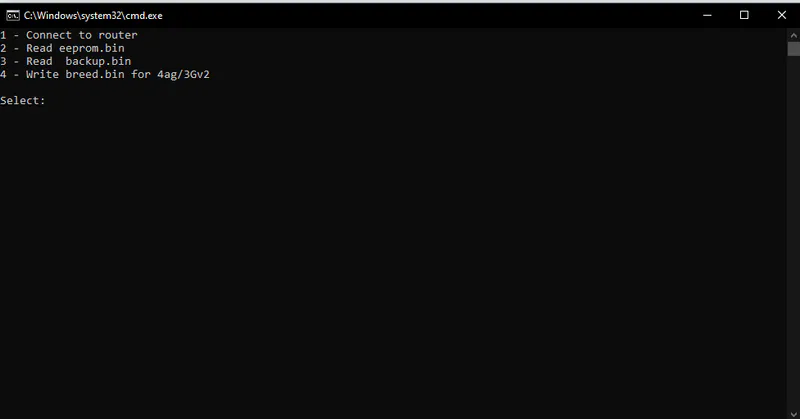
-
EEPROM backup (if the system was installed before) If the device already had the system, save an EEPROM backup in Breed.
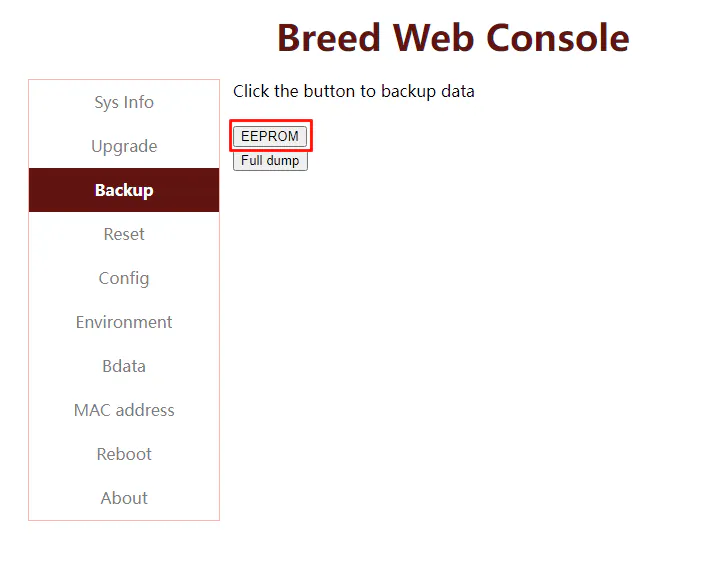
-
Flashing In the second item of the second tab, choose the firmware from the archive,
Xiaomi4C_4.1.7.bin, clear the last 2 checkboxes and confirm the upload.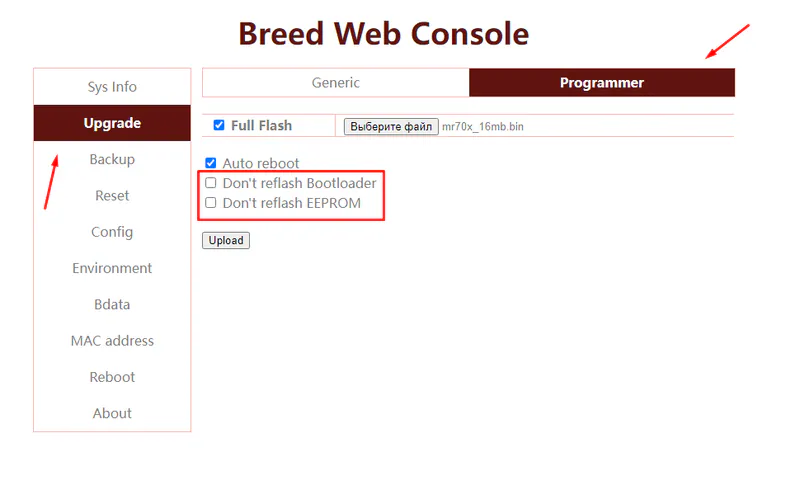
-
Restoring the EEPROM After the installation, enter Breed again by holding Reset or with BreedEnter and restore the EEPROM (the one saved in Breed or the one from the online tool).
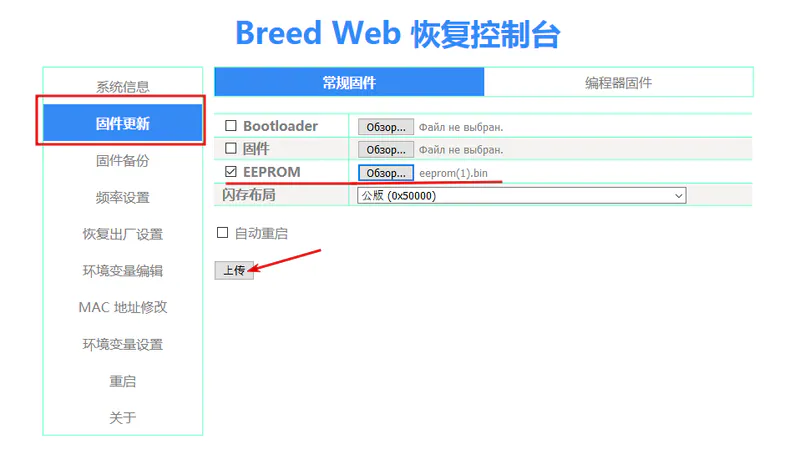
After the reboot the device starts
Done!
Router access
- Web interface
- 192.168.1.1
- Wi-Fi password
12345678
Updating the firmware§
To update, use the method for SPI memory.
Since version 5.0.7 the firmware can also be updated through the web interface.
Reverting to stock firmware§
You will need the flash memory backup (16 or 32 MB) saved before flashing. The steps are in the instructions for SPI memory.