Breed Bootloader
An alternative bootloader for routers based on Broadcom and MediaTek processors.
All versions of the bootloader are available on the author's website — HackPascal.
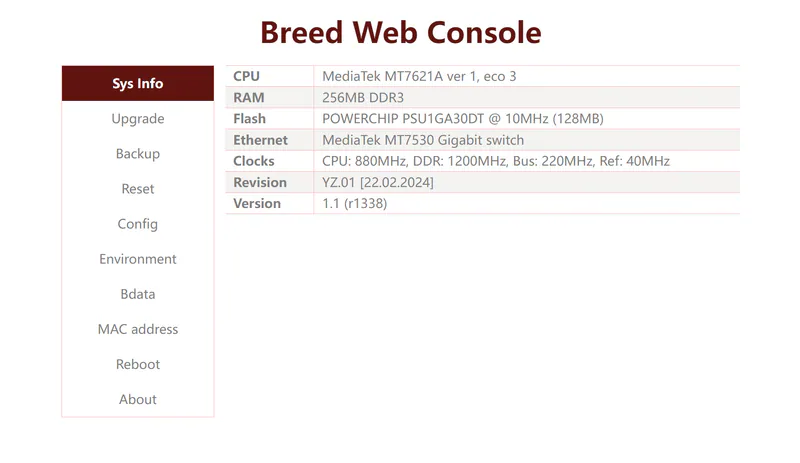
Which version to choose§
- For devices with NAND flash memory and an MT7621 processor:
breed-mt7621-xiaomi-r3g.bin. - For SPI/MT7621:
breed-mt7621-jd-cloud-1.bin. - For SPI/MT7628:
breed-mt7628-hiwifi-hc5661a.bin.
Caution
Choose the bootloader carefully: a wrong version may leave the router inoperable. Recovery is then possible only with a programmer.
Modified bootloader versions for specific devices are also available:
| Router | Bootloader link |
|---|---|
| Netis N6 | Download |
| SmartBox Giga | Download |
| SmartBox Flash/MTS WG430223 | Download |
| SmartBox Pro/WiFire S1500 | Download |
| SmartBox Turbo+ | Download |
| Xiaomi Mi Router 3P/3G/4 | Download |
| TP-Link EC330-G5u | Download |
The modified bootloaders, prepared together with zbancam, include these changes:
- The Reset button enters the bootloader when held during power-on.
- The required autoboot commands are set for each model.
Note
The modified bootloaders are already included in the firmware archives
How to enter the bootloader§
MethodI§
- Hold Reset and power on the router. After 5–8 seconds open
192.168.1.1from a device connected to a LAN port of the router.
MethodII§
- Use BreedEnter.
How to update the bootloader§
Caution
Do not update the bootloader if everything works.
MethodIAutomatic, recommended
§
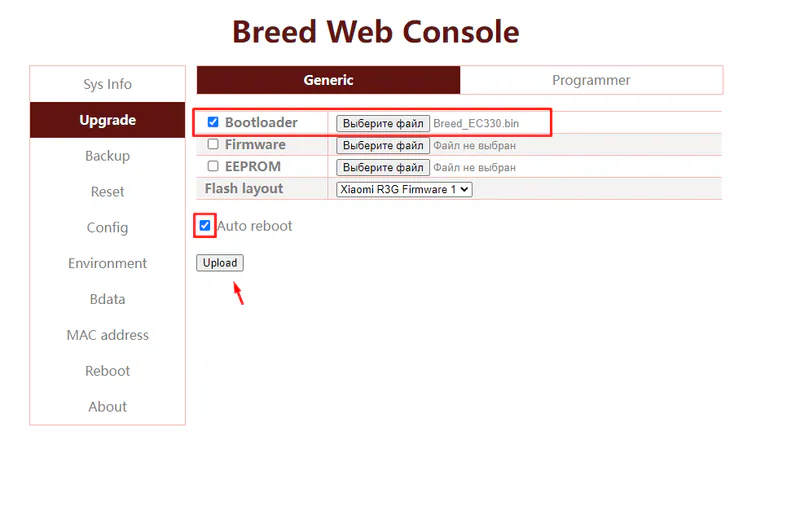
Go to the Upgrade section, choose the bootloader file in the Bootloader field and click Upload.
MethodIIManual
§
Everything at your own risk
Rewriting the bootloader manually may fail. Recovery will then be possible only with a programmer and a dump. Use this method only as a last resort.
wget http://192.168.1.2/bootloader.binflash erase 0x0 0x80000flash write 0x0 0x80001000 0x80000reset
BreedEnter Download§
Interrupting the system boot§
-
Install
WinPcapfrom the archive. -
Run
BreedEnter.exeas administrator and click its only button.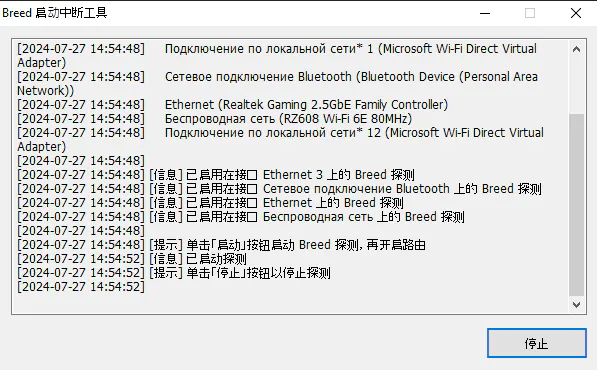
-
Connect the router to the PC with a cable.
-
Power on the router.
Wait for the notification in the program. If it does not appear, try again
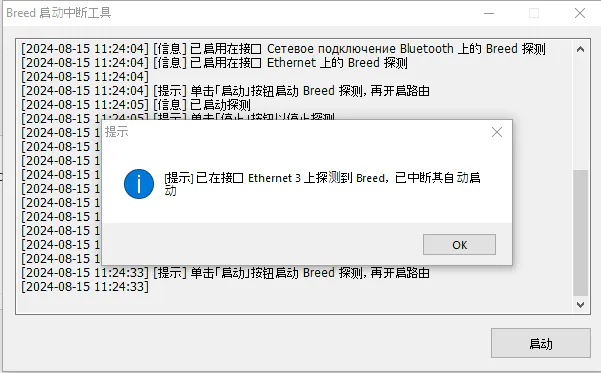
- Open 192.168.1.1 in your browser.