Setting up a Mesh system
Adding a node over cable§
-
In
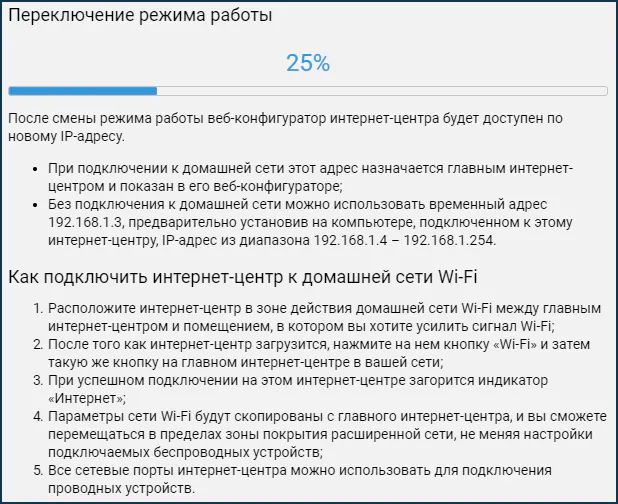
System settings, clickChange operating modeand set the additional internet center modeExtender/Repeater.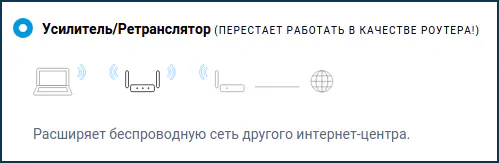
-
Connect the router to the controller with a cable.
Caution!
Since version 5.0.1, a device switched to
Repeatermode may keep its login password. Remove it or reset the settings:- Open the repeater's web interface.
- Remove the password through the CLI:
shelluser admin no pass- Run the command on the controller.
candidateis the repeater's MAC address; pressTabto fill it in automatically:
shellmws revisit {candidate} -
Click
Capture. Transferring the settings may take up to 2 minutes.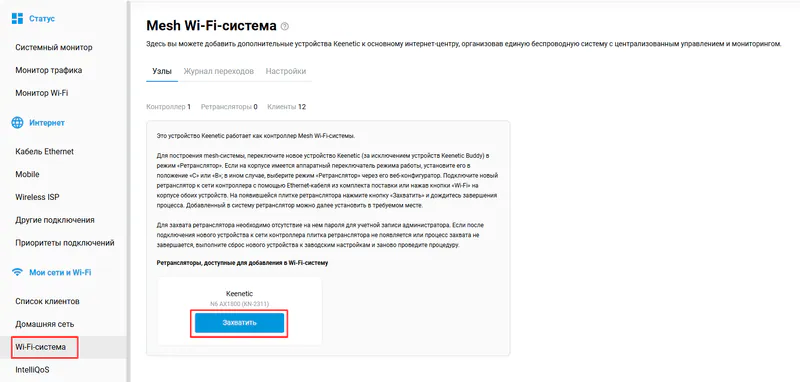
When the capture succeeds, the router appears in the list with its serial number in the name, for example:
Keenetic N6 AX1800 037***462.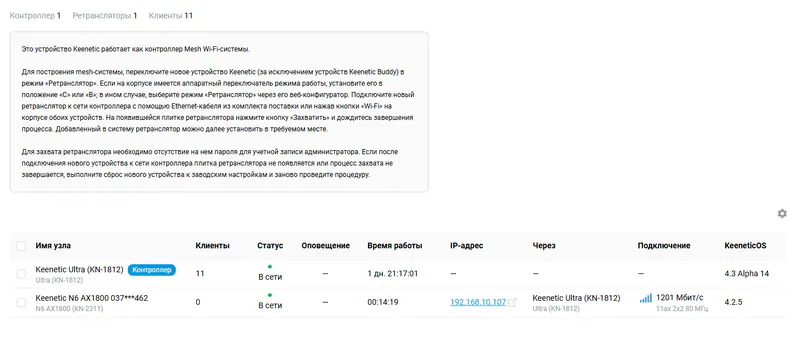
Adding a node wirelessly§
-
In
System settings (General settings), clickChange operating modeand set the additional internet center modeExtender/Repeater. -
After the mode changes, connect to the router with a cable or over Wi-Fi. The web interface will be available at
192.168.1.3. To connect with a cable, set a static IP address on the network card. -
In the
Wireless ISPsection, connect to the controller's wireless network.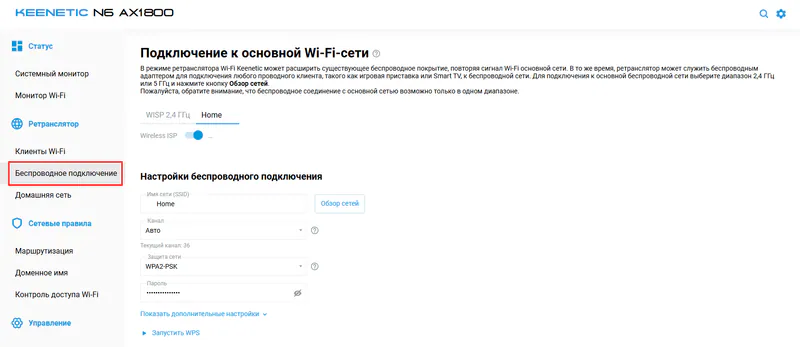
Caution!
Since version 5.0.1, a device switched to
Repeatermode may keep its login password. Remove it or reset the settings:- Open the repeater's web interface.
- Remove the password through the CLI:
shelluser admin no pass- Run the command on the controller.
candidateis the repeater's MAC address; pressTabto fill it in automatically:
shellmws revisit {candidate} -
Capture the node on the controller. Transferring the settings may take up to 2 minutes.
When the capture succeeds, the router appears in the list with its serial number in the name, for example:
Keenetic N6 AX1800 037***462.
Troubleshooting§
1. The node is not captured§
Make sure the devices you add have different serial numbers. It is shown on the home page in the About system block.
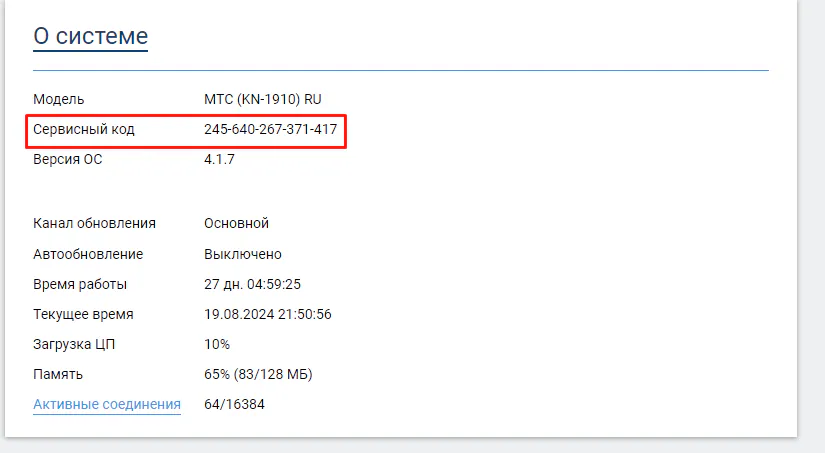
If the serial numbers match, use the U-Config generator or KeenKit with the Replace service data function.
Using the U-Config generator:
- Open the U-Config tab
- Drag the
U-Configfrom the firmware archive into the upload area or choose the file in the dialog. - Download the generated file and flash it, or replace it with KeenKit.
On devices with SPI memory you can load a full dump (Full) saved in Breed into the script and restore from it.
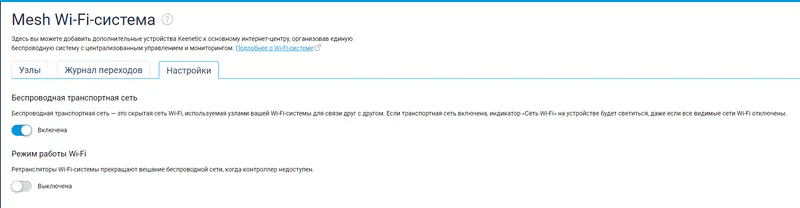
2. Does not connect over the air after a wired capture§
Enable Wireless backhaul on the controller.
3. Error Mws::Controller::Candidate: "xx:xx:xx:xx:xx:xx": invalid CSR response§
The error appears after capturing a device with the same service number and/or MAC address. To fix it, follow the steps from the first item.
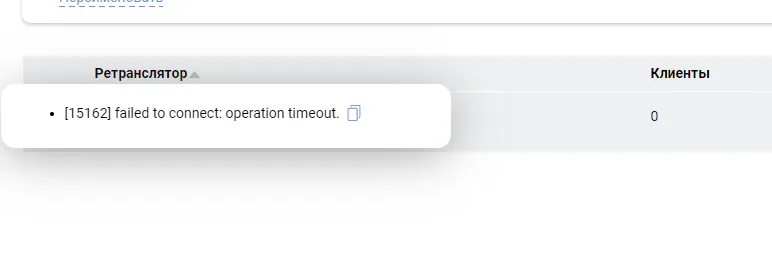
4. Error failed to connect: operation timeout§
-
This is a normal message: the repeater is trying to reach the servers. It does not affect Mesh.