Updating firmware
Info
You can also download the update file manually.
Official§
For 5.0.7 and later
-
Open
System settings.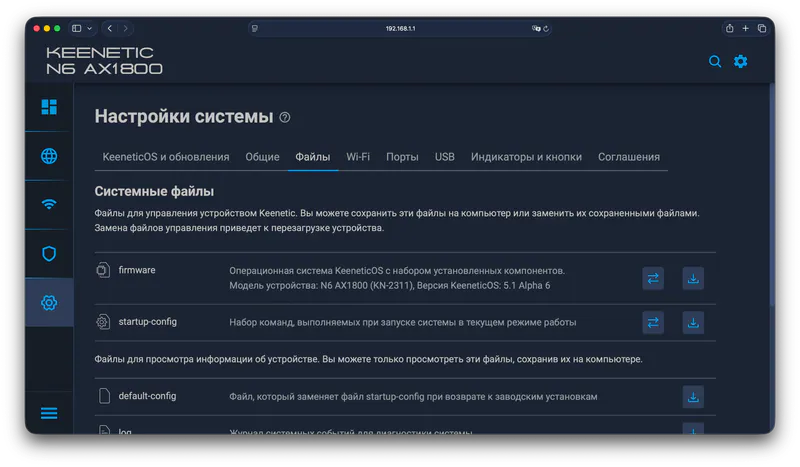
-
Upload the update file to the
firmwarefield. -
Confirm the update. The device will reboot.
NAND flash memory (from 128MB)§
MethodIRecommended§
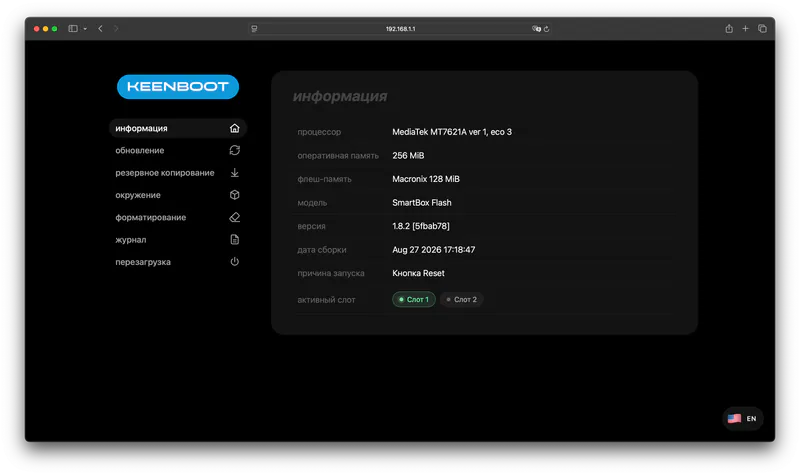
- Enter the KeenBOOT bootloader.
- Upload the update file through the web interface.
MethodIIAutomatic§
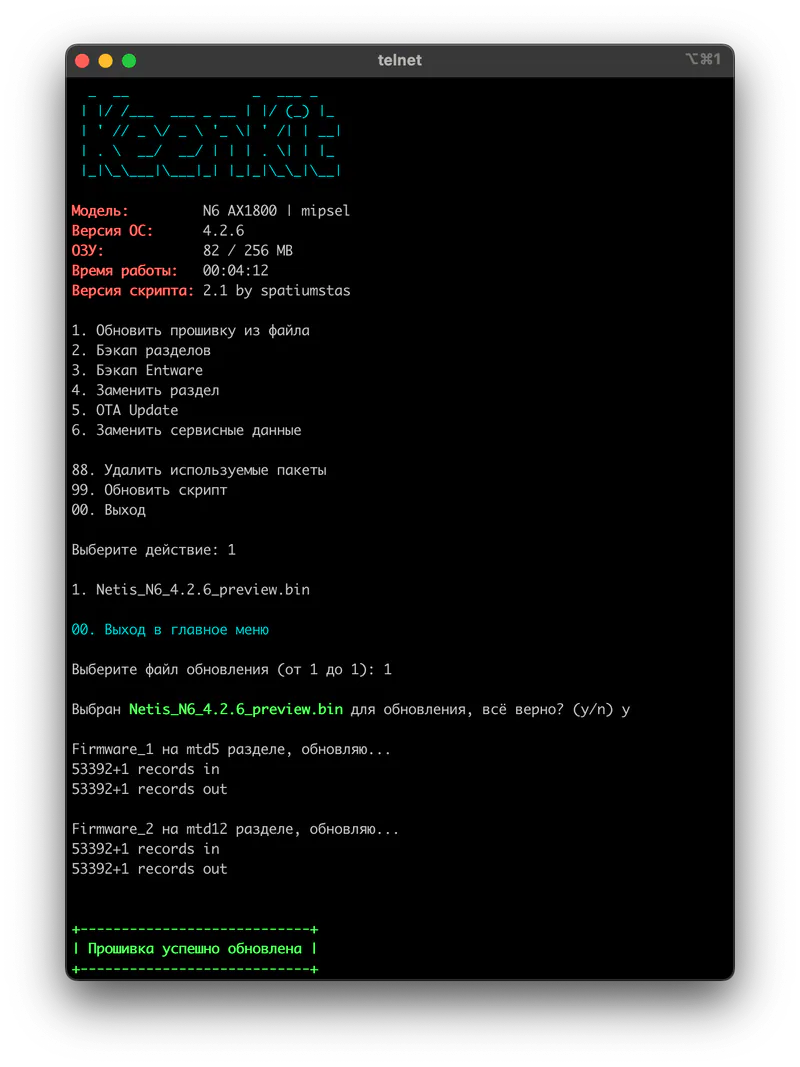
- Use KeenKit with the
Update firmware from fileorOTA Updatefunction.
MethodIIIVia Breed§
Caution
A mistake in the commands may leave the router inoperable. Follow the instructions carefully.
- Enter Breed.
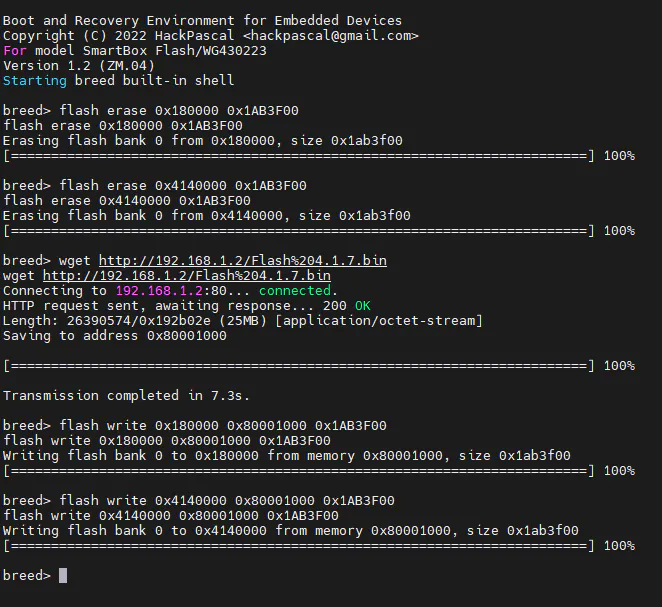
- Start PuTTY and connect over Telnet to
192.168.1.1on port23. Paste the commands one at a time with the right mouse button, waiting for each one to finish. - Serve the firmware file with
HFS.exe, for example under the namefirmware.bin.
Commands for devices with 256MB flash storage (SmartBox Pro, Xiaomi R3P)
Run the commands one at a time, waiting for the previous one to finish.
Enter one command at a time
flash erase 0x180000 0x1AB3F00flash erase 0x8140000 0x1AB3F00wget http://192.168.1.2/firmware.binflash write 0x180000 0x80001000 0x1AB3F00flash write 0x8140000 0x80001000 0x1AB3F00reset
Commands for other devices
Run the commands one at a time, waiting for the previous one to finish.
Enter one command at a time
flash erase 0x180000 0x1AB3F00flash erase 0x4140000 0x1AB3F00wget http://192.168.1.2/firmware.binflash write 0x180000 0x80001000 0x1AB3F00flash write 0x4140000 0x80001000 0x1AB3F00reset
SPI NOR memory (up to 32MB)§
- Enter Breed.
- Open
Upgrade → Generic → Firmware, choose the firmware file and upload it. The section names may differ depending on the Breed version.Note
This section is for the firmware file only. Do not upload a full dump to it.
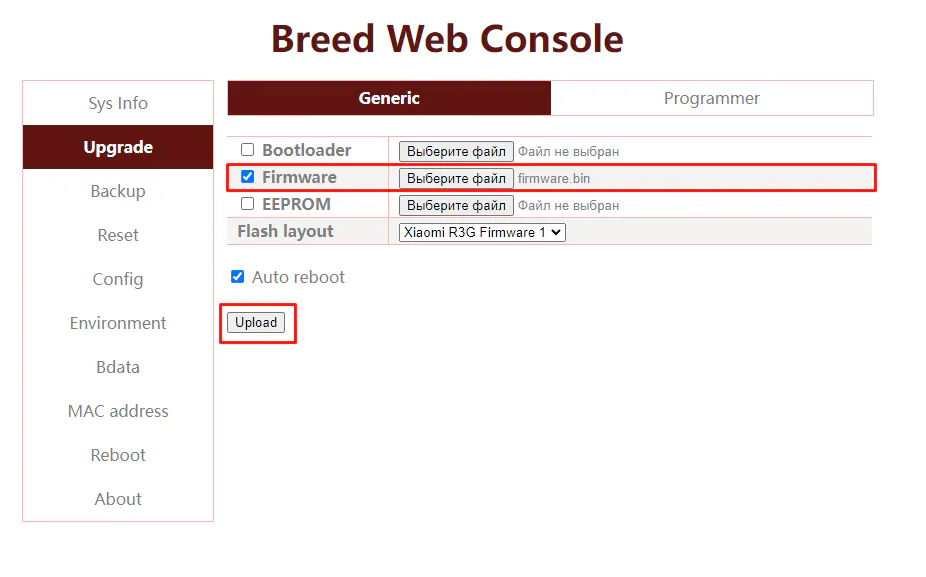
- After a successful upload the router reboots into the system.