KeenKit
A multi-purpose script that makes router maintenance easier.
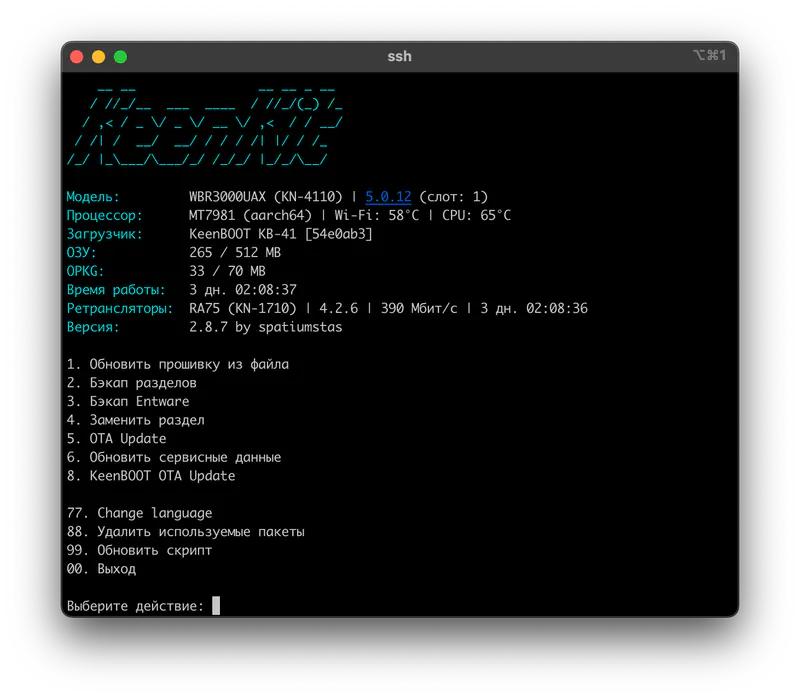
What the script can do
- Update firmware from file
Finds a.binfile on the built-in or an external drive and installs it to the Firmware partitions. - Partition backup
Saves the selected partitions to the chosen drive. - Entware backup
Creates a full backup of the drive the script runs from. You can use it for a new installation. - Replace partition
Replaces a system partition with a file chosen by the user. - OTA Update
Online upgrade or downgrade of the firmware. - Update service data
Creates a new U-Config with updated service data and replaces the current one. - KeenBOOT OTA Update
Online upgrade or downgrade of the bootloader.
Installation§
shell
opkg update && opkg install curl && curl -L -s "https://raw.githubusercontent.com/spatiumstas/KeenKit/main/install.sh" > /tmp/install.sh && sh /tmp/install.shAlternative source:
shell
opkg update && opkg install curl && curl -L -s "https://raw.githubusercontent.com/project-athens-dev/osvault/main/scripts/install.sh" > /tmp/install.sh && sh /tmp/install.shRunning the script§
Run keenkit or /opt/keenkit.sh.