KeenBOOT
A proprietary bootloader for MediaTek MT7621 and MT7981.
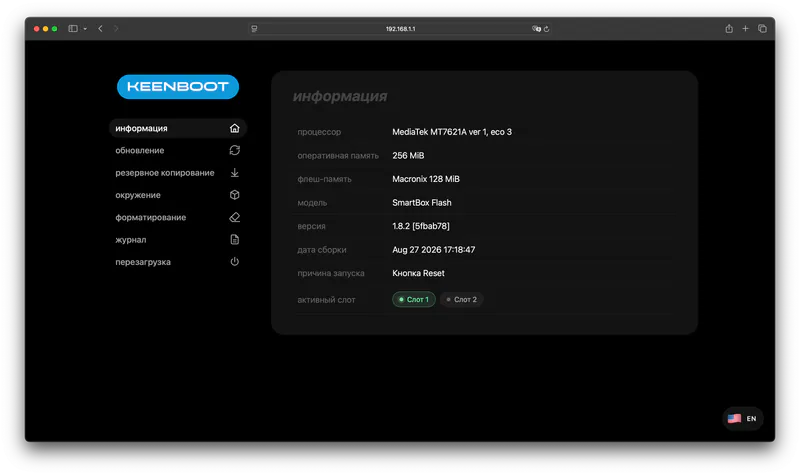
Advantages
- Improved bad block handling
- Web interface with file uploads
- Upload of a full device dump
- DHCP support without setting a static IP address
- Stopping the system boot with BreedEnter
- Dual-Image support for
mipsel
Download Download§
Install the bootloader for your own model only!
Arm
| Model | Indication in the bootloader |
|---|---|
| Xiaomi AX3000T | 🔵 (blinking) |
| Netis NX31/NX32U | E (blinking) |
| CMCC RAX3000M/Me | 🟢 (blinking) |
| Cudy TR3000 | ⚪ (blinking) |
| Cudy WR3000P | System (blinking) |
| Cudy WBR3000UAX | Power (blinking) |
Mipsel
| Model | Indication |
|---|---|
| ASUS RT-AX53U | System - Power In the bootloader - Power (blinking) Update - USB |
| MTS WG430223 | System - 🟢 In the bootloader - 🔴 (blinking) Update - 🔴 |
| Netis N6 | System - Power In the bootloader - Internet (blinking) Update - WPS |
| SmartBox Giga | System - 🟢 In the bootloader - 🔵 (blinking) Update - 🔴 |
| SmartBox Flash | System - 🟢 In the bootloader - 🔵 (blinking) Update - 🔴 |
| SmartBox Turbo (Plus) | System - 🟢 In the bootloader - 🔵 (blinking) Update - 🔴 |
| SmartBox Pro | System - 🔵 In the bootloader - ⚪ (blinking) Update - 🔵 |
| TP-Link EC330 | System - 🔵 In the bootloader - ⚪ (blinking) Update - 🔵 |
| Vertell Street M2 | System - Sys In the bootloader - Net (blinking) Update - Net |
| WiFire S1500 | System - 🔵 In the bootloader - ⚪ (blinking) Update - 🔵 |
| Xiaomi R3G | System - 🔵 In the bootloader - 🟠 (blinking) Update - 🔴 |
| Xiaomi R3P | System - 🔵 In the bootloader - 🟠 (blinking) Update - 🔴 |
| Xiaomi 4 | System - 🔵 In the bootloader - 🟠 (blinking) Update - 🔴 |
Entering the bootloader§
MethodI§
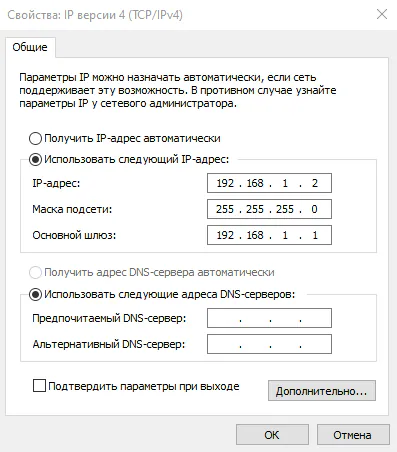
- Hold Reset and power on the router. Release the button after 10 seconds and open
192.168.1.1from a device connected to a LAN port of the router.
Older versions of the ARM bootloader may require the Mesh/WPS button and a static IP address to enter.
Details
MethodII§
- Use BreedEnter.
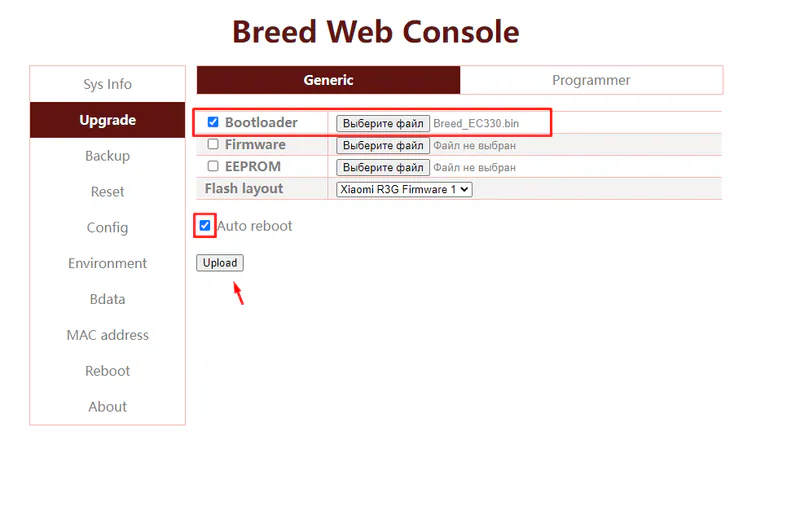
Switching from the Breed bootloader MT7621§
Go to the Upgrade section, choose the file in the Bootloader field and click Upload.
Installing firmware MT7621§
Use an incognito window in your browser.
-
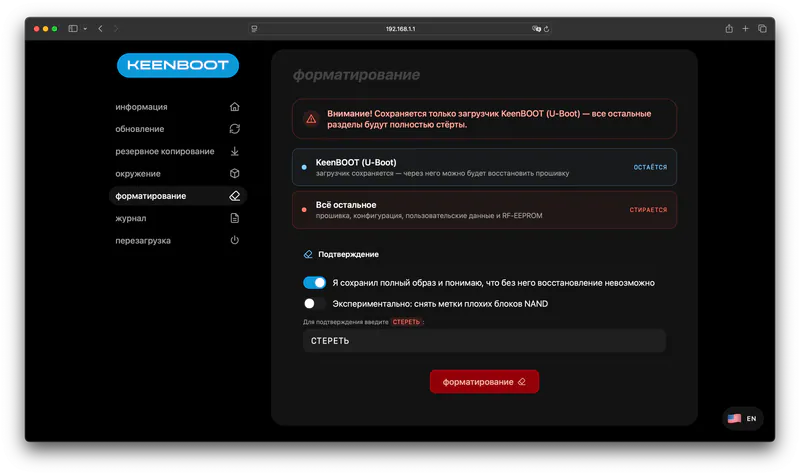
Format the flash memory if you are switching from another firmware (stock, custom and so on) or want a clean installation.
-
Upload the
Firmware,EEPROMandU-Configfiles for your model to the matching sections one by one. -
Reboot the device.
Updating or changing the bootloader§
Caution
Do not update the bootloader if everything works.
Go to the Update section, choose the KeenBOOT (U-Boot) target partition, select the bootloader file and click Update.