Reverting firmware
MediaTek MT7981 SPI NAND Flash§
- If you do not have a full 128 MB backup, merge the factory partitions with Merger or run this command in a terminal:
shell
copy /b mtd0.bin+mtd1.bin+mtd2.bin+mtd8.bin+mtd5.bin+mtd6.bin+mtd7.bin full_dump.binFor Xiaomi AX3000T the file will be 5.6 MB: it contains all partitions needed before flashing.
- Enter the KeenBOOT bootloader.
- In the
Updatesection, upload the backup file asFull image (Single Image).
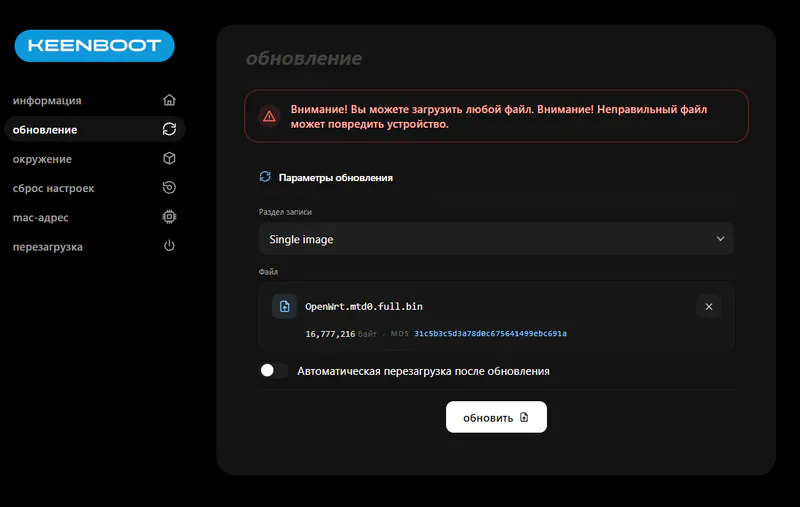
Warning
On Xiaomi AX3000T, restore the device with the MiWiFi Repair Tool after the restart.
MediaTek MT7622 SPI NAND Flash§
- Using the files and steps from the recovery instructions, put the OpenWrt image into the folder, renaming the files to
AX6S_recovery.binandKN-1811_recovery.binbeforehand. - After OpenWrt starts, upload the factory backups and write them to the flash memory.
Commands
Enter one command at a time
opkg updateopkg install kmod-mtd-rwinsmod mtd-rw i_want_a_brick=1cd /tmp/mtd unlock /dev/mtd2mtd write /tmp/mtd3_uboot.bin u-bootmtd unlock /dev/mtd3mtd write /tmp/mtd4_Nvram.bin u-boot-envmtd unlock /dev/mtd4mtd write /tmp/mtd5_Bdata.bin bdatamtd unlock /dev/mtd5mtd write /tmp/mtd6_Factory.bin factory
- After the device reboots, use
MIWIFIRepairToolto install the factory firmware.
MediaTek MT7628/MT7621§
MethodINAND Flash§
- Install KeenBOOT version 1.4 or later.
- In the
Updatesection, upload the backup file asFull image (Single Image).
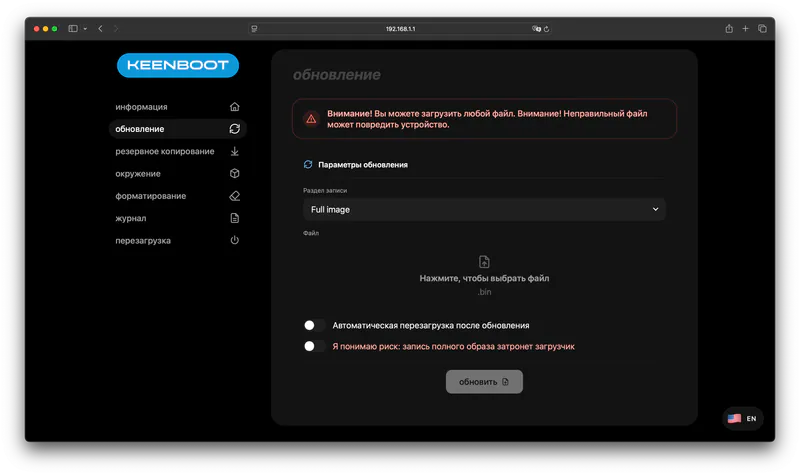
- Upload the device backup.
Caution!
The full device backup must be exactly 128 MB (134,217,728 bytes).
Tip
If the router boots into Breed after the restore, install the factory bootloader for your model (see step 7 below). Archive of stock MT7621 bootloaders
MethodIINAND Flash§
- Open the backup in HxD.
- Select the first block that contains the Breed bootloader and delete it.
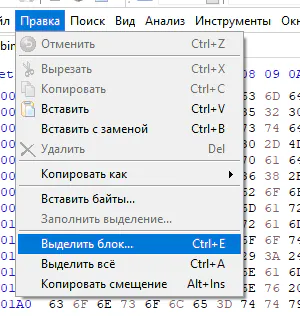
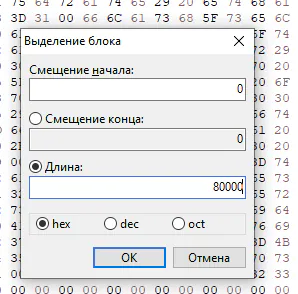
- Save the resulting file. It must be exactly 127 MB (133,693,440 bytes).
- Enter the Breed bootloader (how?) at
192.168.1.1. - Add the backup to HFS.
- In PuTTY, run the commands that erase the memory and write the backup.
Enter one command at a time
wget http://192.168.1.2/full.binflash erase 0x80000 0x7f00000flash write 0x80000 0x80001000 0x7f80000
- Go to the
Upgradesection, choose the factory bootloader file in theBootloaderfield and clickUpload.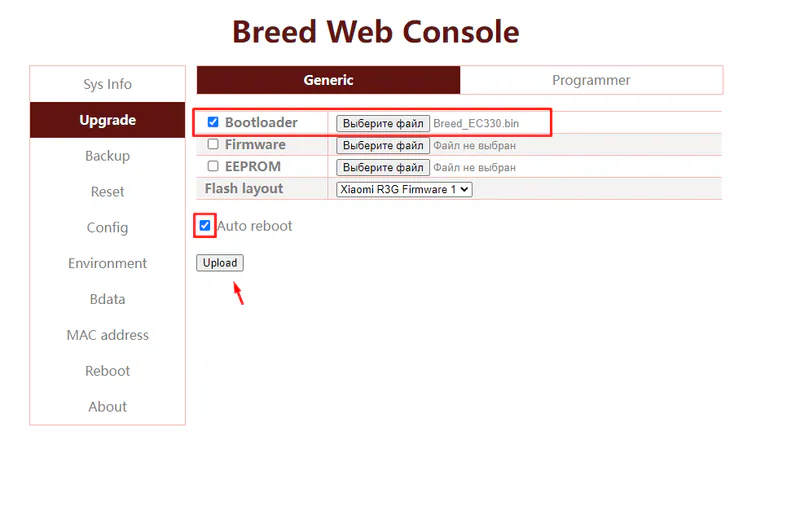
MethodIIISPI NOR§
- Enter the Breed bootloader (how?) at
192.168.1.1. - Upload a 16 or 32 MB backup, depending on the device's memory size.
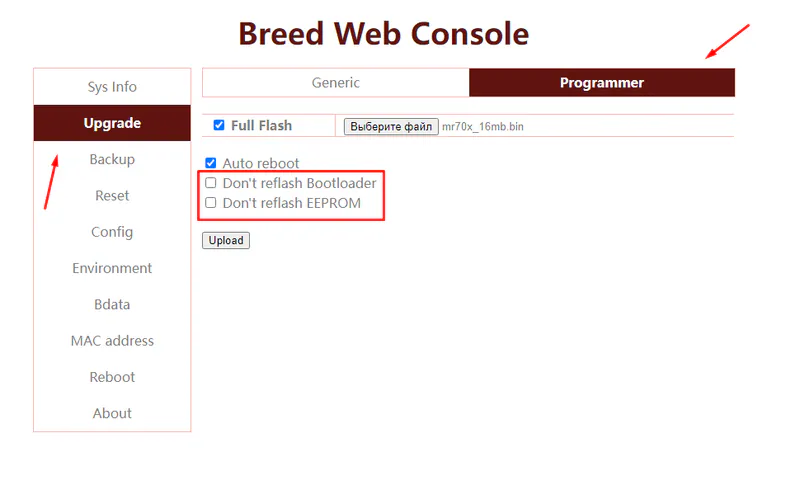
- Go to the
Upgradesection, choose the factory bootloader file in theBootloaderfield and clickUpload.