SmartBox Turbo/SmartBox Turbo+
Specifications§
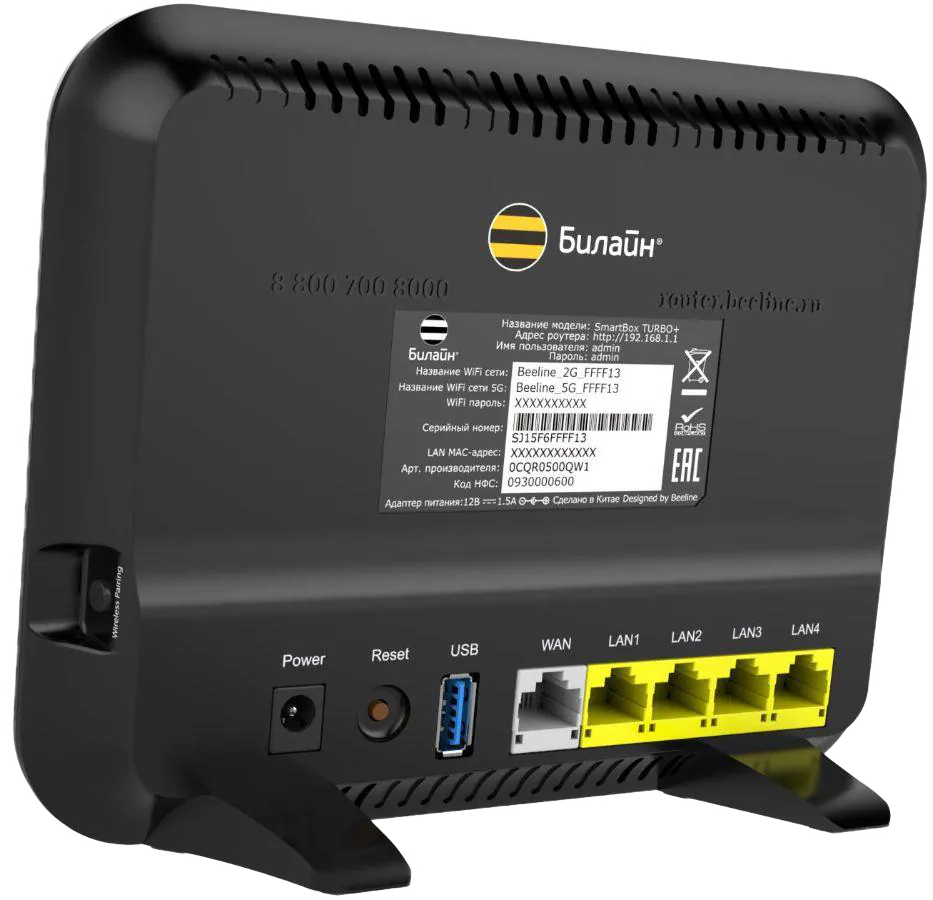
- Processor
- MediaTek MT7621AT, MIPS, 880 MHz
- Flash memory
- 128 MB NAND / 256 MB NAND
- RAM
- 128 MB DDR3 / 256 MB DDR3
- Ethernet
- 4 × 1G LAN + 1 × 1G WAN
- USB
- 1 × USB 3.0
- Wi-Fi chip
- MediaTek MT7603EN, MediaTek MT7615N
- Wi-Fi 5 GHz
- AC, 160MHz, 4x4, 1733MB/s
- Wi-Fi 2.4 GHz
- 40MHz, 2x2, 300MB/s
Build features§
- FunctionalityExcept:
Cloud services
Components - Factory resetWith the Reset button
- LEDsYes
- Mesh compatibilityWith original devices and clones
- Built-in storage55.2 MB, Entware can be installed
- Modem rebootRequires a hardware mod
Preparing for flashing§
- Download and unpack the firmware archive The “Download” button is in the panel under the device name.
- Connect the router to the computer with a cable (Ethernet) Flashing over Wi-Fi is not possible.
Installing from stock firmware§
-
Installing OpenWrt Install OpenWrt.
-
Saving the calibration In LuCI (the
System - Backup / Flash firmwaretab), save thefactorypartition (also known aseeprom). -
Preparing the EEPROM Open the “Set MAC” tool, load the EEPROM from the previous step and enter the MAC address from the sticker. Download the generated
eeprom.bin. -
Preparing the archive Put the prepared EEPROM into the folder.
-
Installing the package Install the
kmod-mtd-rwpackage or update withopenwrt-sysupgrade.bin— it already contains the package. -
Serving the bootloader Serve
KeenBOOT-SB_Turbo.binfor your model from the archive withHFS.exe. -
Finding the partition Run over SSH:
shellcat /proc/mtdSample output:
dev:    size   erasesize  name
mtd0: 10000000 00020000 "u-boot"
Note the name of the
mtd0partition — it isu-boot,Bootloaderorbootloader. Use it in the last command instead ofu-boot. -
Writing the bootloader Run over SSH:
Enter one command at a timecd /tmpwget http://192.168.1.2/KeenBOOT-SB_Turbo.bininsmod mtd-rw i_want_a_brick=1mtd unlock /dev/mtd0mtd write /tmp/KeenBOOT-SB_Turbo.bin u-bootreboot
-
Enter the KeenBOOT bootloader by holding the Reset button.
-
Upload
Firmware,EEPROMandU-Configfrom the archive for the Turbo or Turbo Plus model one by one through the web interface following the instructions. -
Reboot into the system.
Done!
Router access
- Web interface
- 192.168.1.1
- Login
admin- Password
12345678- Wi-Fi password
12345678
Updating the firmware§
To update, use any method for NAND memory.
Since version 5.0.7 the firmware can also be updated through the web interface.
Reverting to stock firmware§
You will need the backup saved before flashing. The steps are in the instructions for MT7621.